Improving Sheridan’s student chatbot
Project Overview
Chatbot Platform Transition
We helped improve Sheridan’s student chatbot as it moved to ServiceNow. Since thousands of students rely on it for important school information each semester, we focused on making answers clearer, more accurate, and easier to find.
Role
UX Researcher
Content Designer
Duration
4 months
Tools
Figma
ServiceNow
Comm100
Team
Me!
Farwa Babar
Christopher Kovacs
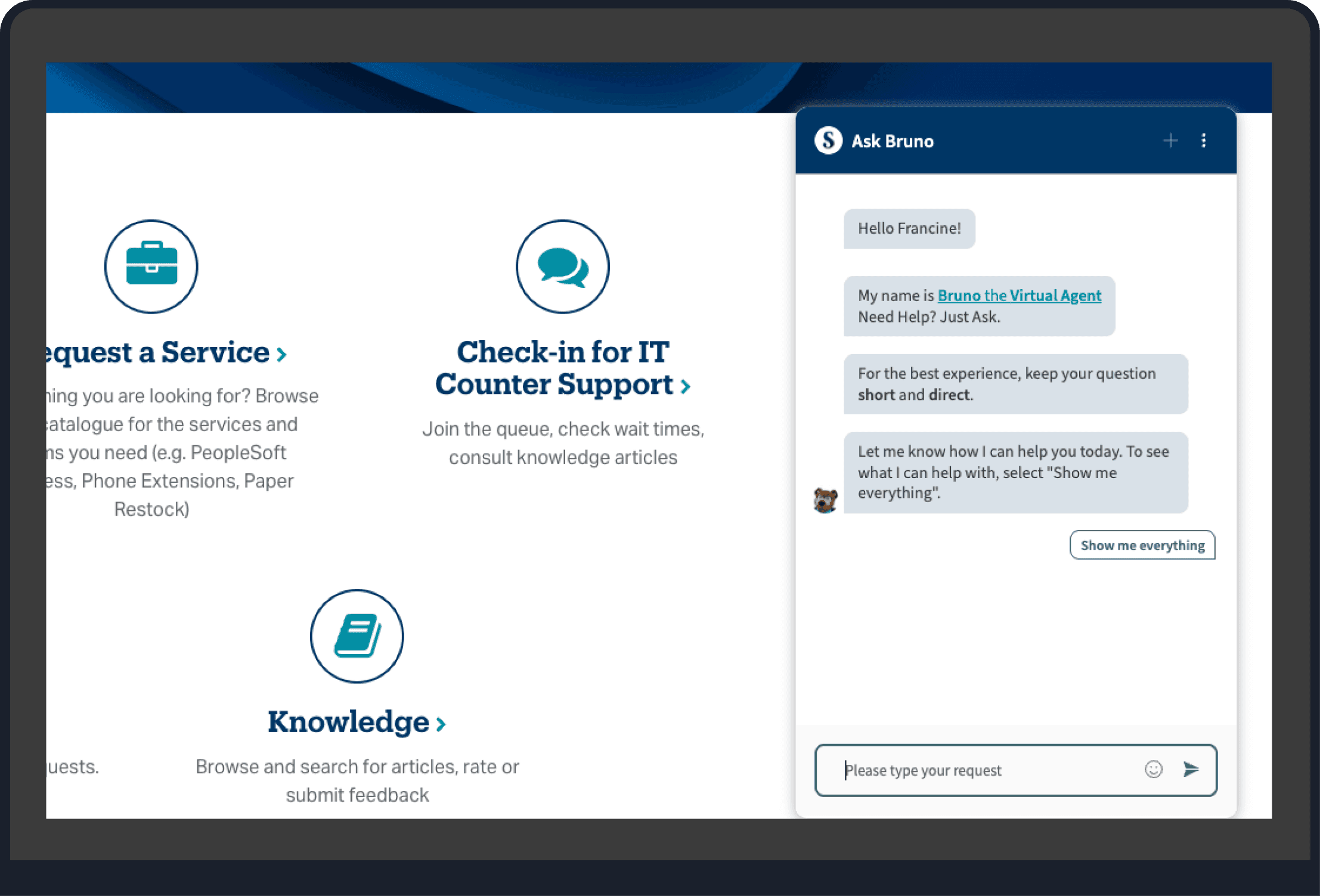
PROBLEM SPACE
Questions Were Left Unanswered
Unclear expectations, missing topics, and weak fallback responses led to frustration and unanswered questions.
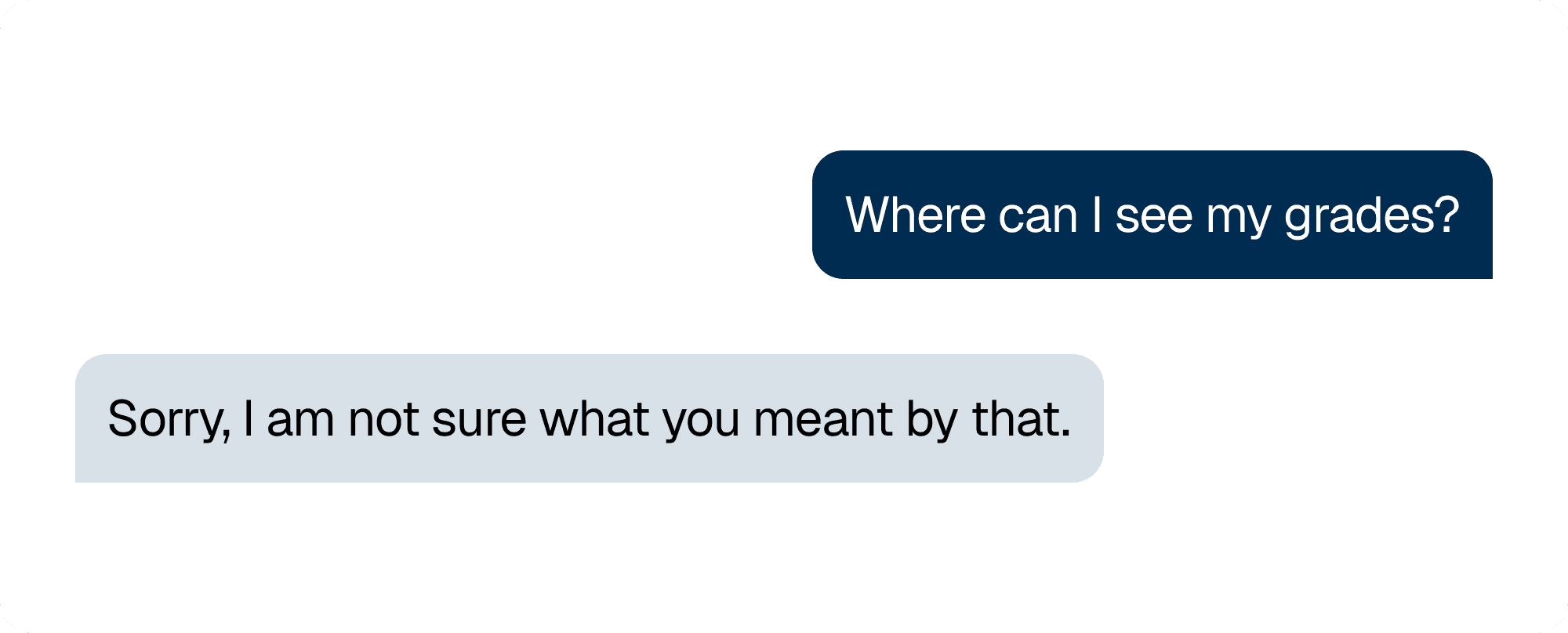
Student fails to receive an answer from the previous
comm100 chatbot interface.
Research Process
Analyzing Existing Chatbot Flow
We started our research by mapping out the chatbot’s current conversation flow, which helped us understand how it worked and gave us a clear reference when making improvements.
Default Content
User Input
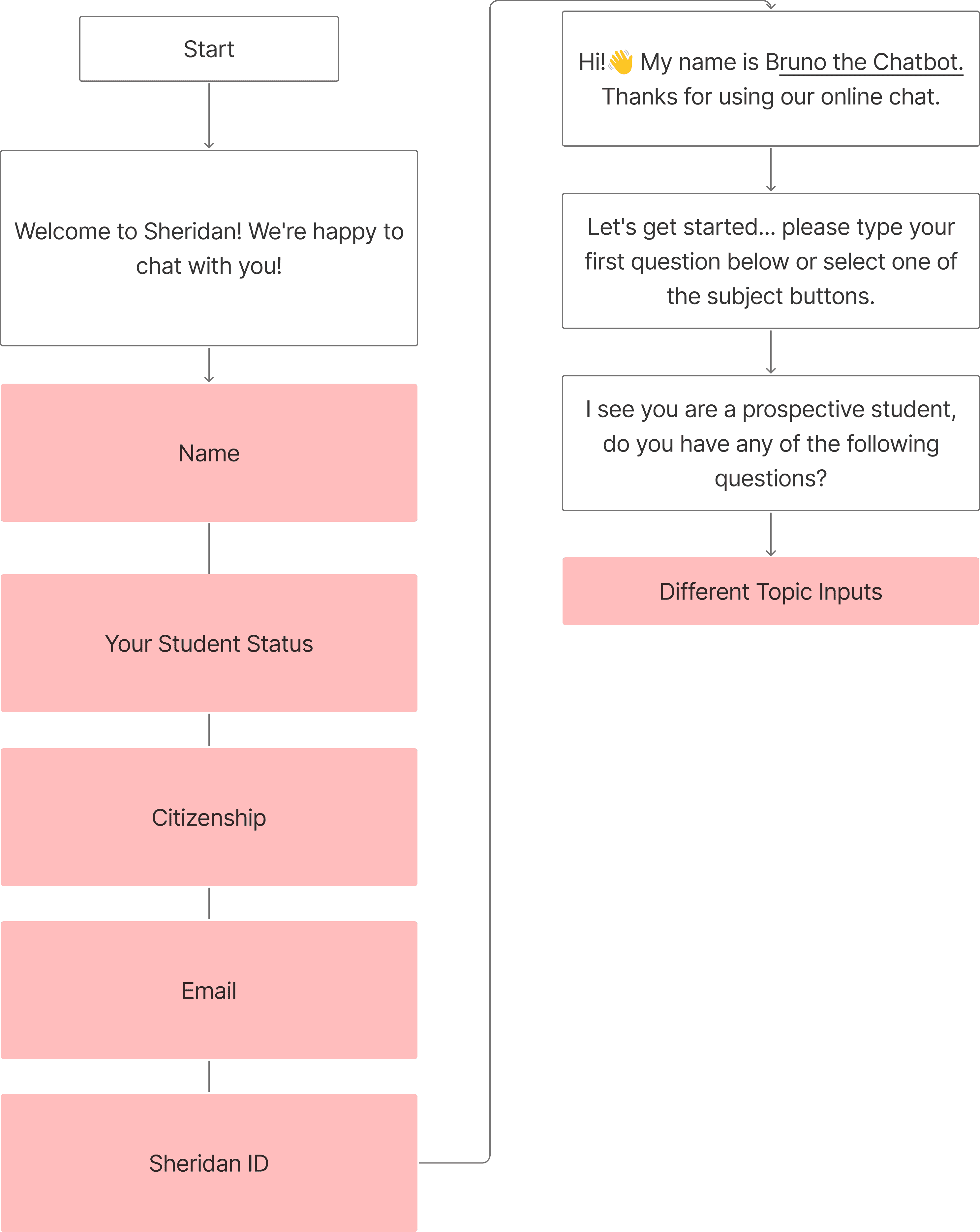
GREETING
ENDING
Recommended Changes:
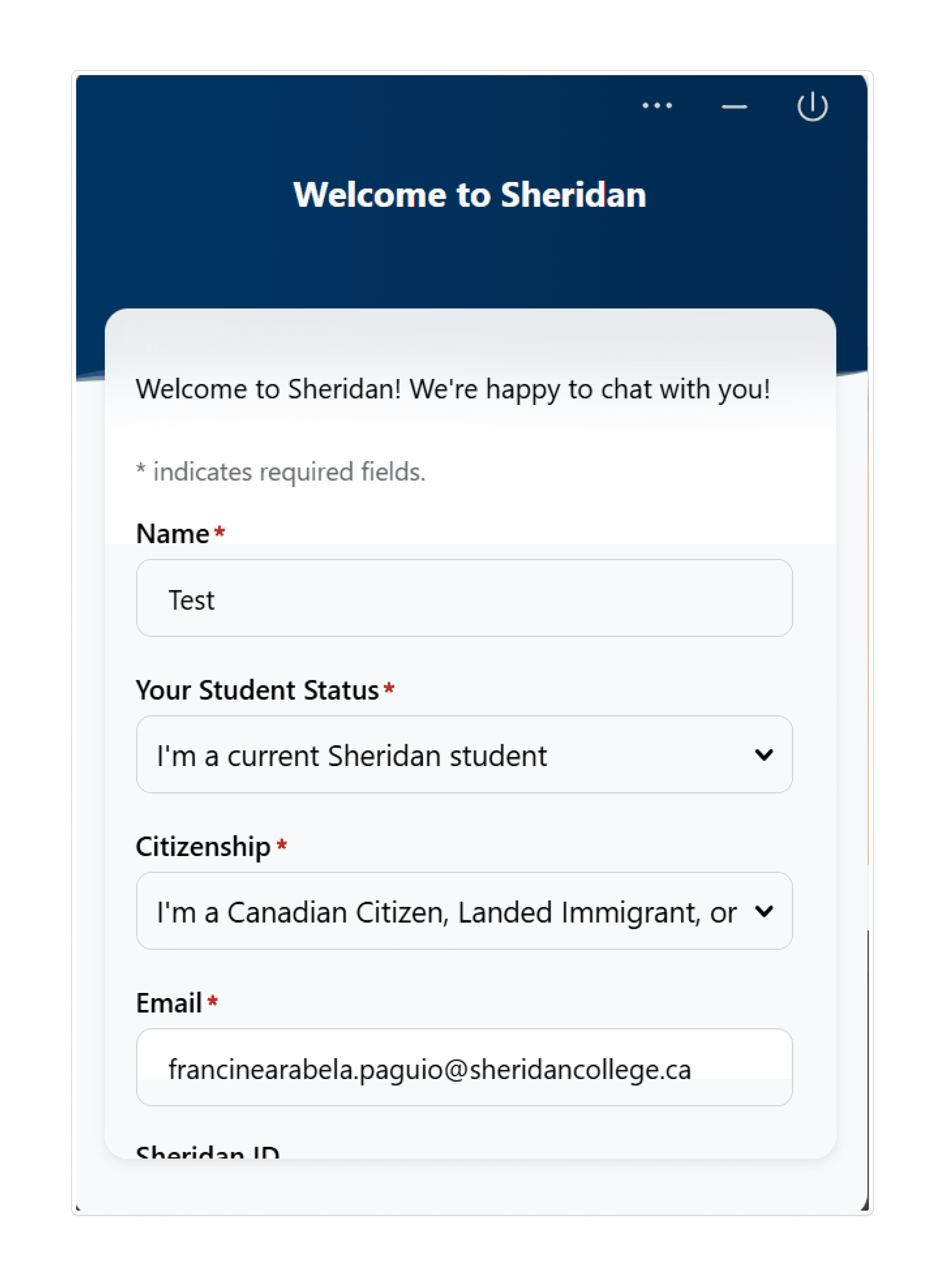
Remove the Sign in Form
as many students found it tedious
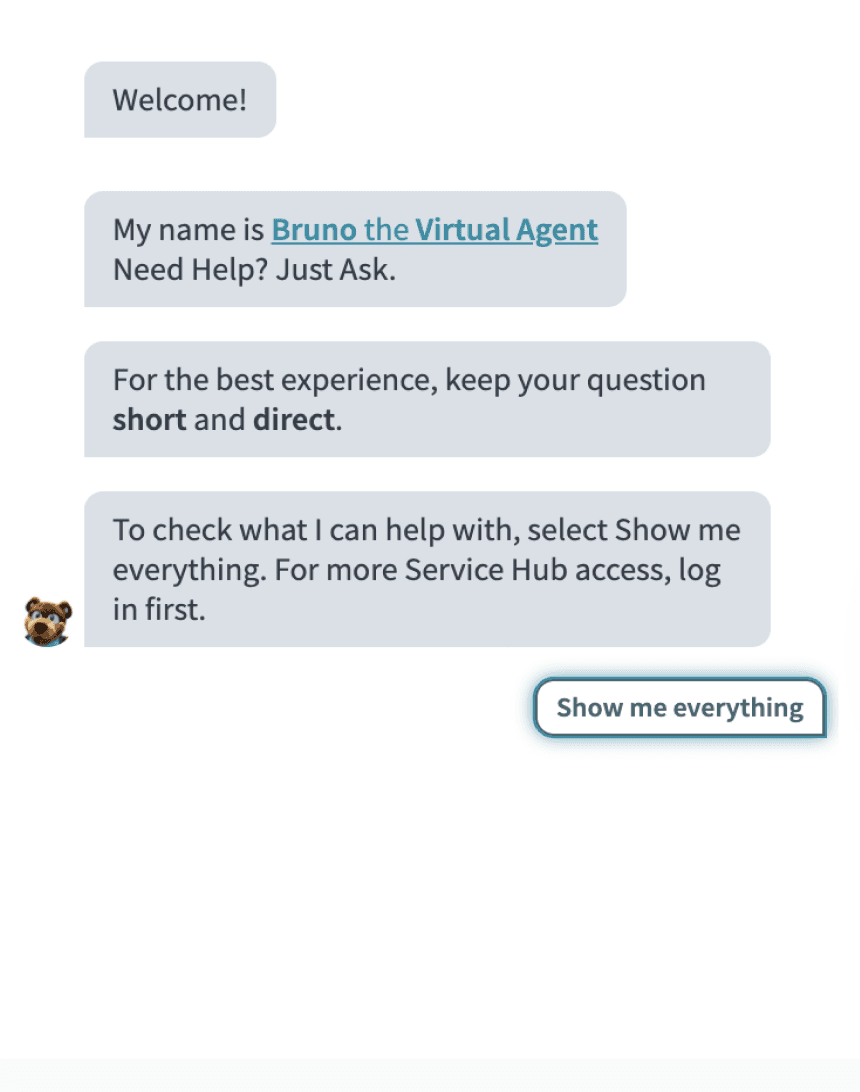
(past data)Directly go to the main
introductionHave an option where they can
search for all conversation topics
Chatbot Testing
We focused our chatbot testing on conversation flow by walking through real student queries, particularly those in high-traffic and trending topics. This helped us understand how students would realistically interact with the chatbot and identify key friction points.
We tested based on:
Accuracy of responses to common student questions
How well student intents were detected and routed
Tone and clarity of messages
Fallback behaviours
Identifying Drop-off Points
Using real student query logs, we identified main stages of the chatbot user flow. One of the most common friction points were repeated misunderstandings and unanswered questions which would cause students to exit the chat before finding an answer.
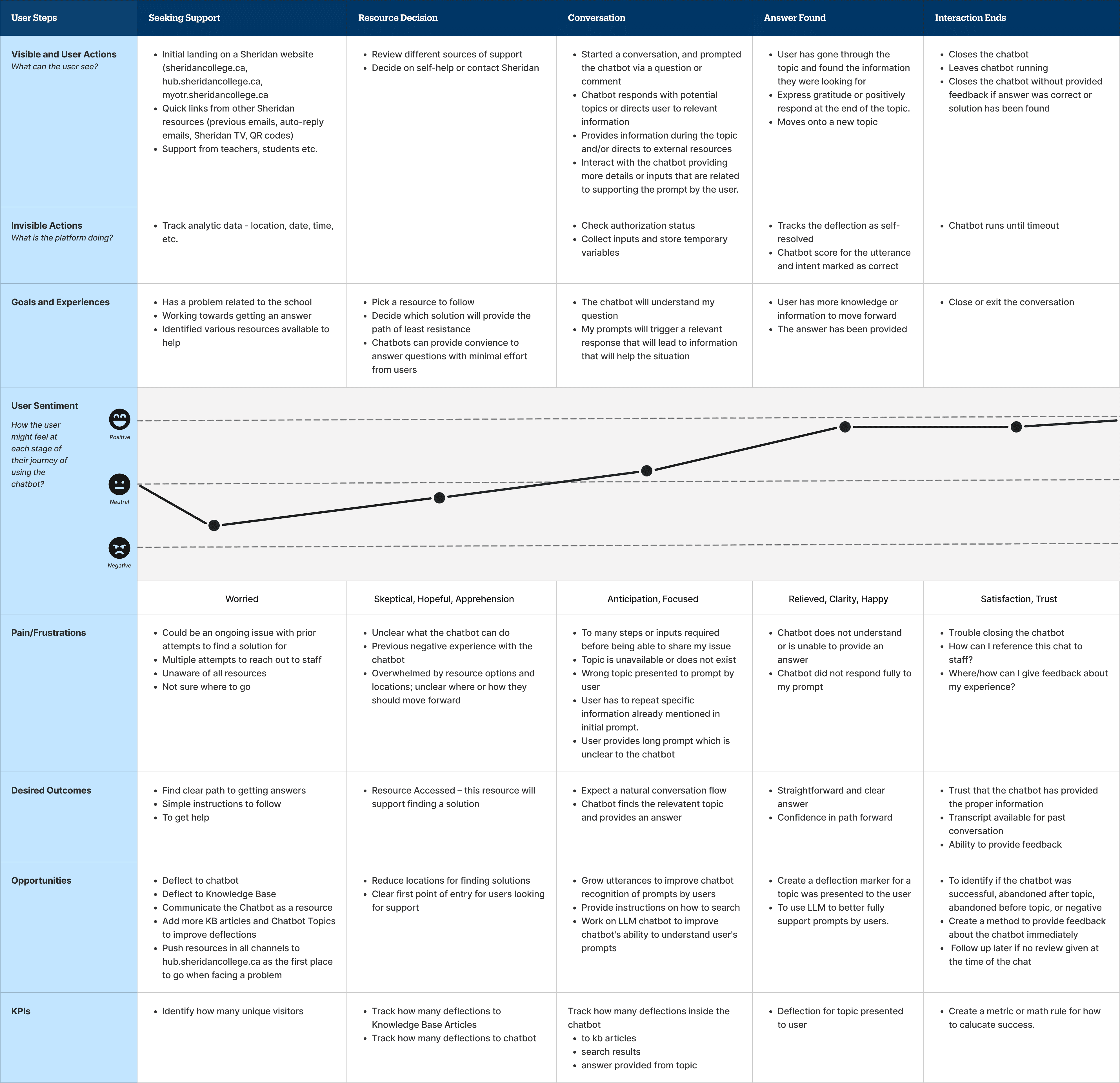
Insights
We synthesized our research using affinity mapping to identify common patterns and key themes to create our improvement recommendations.
01
Information gaps in topic coverage causing important prompts being left unanswered.
02
Some existing topics are overlapping.
03
Some existing topics are not being triggered properly.
04
There is no fallback message or response for time sensitive related topics.
05
There is a general misunderstanding among students regarding the chatbot’s functionality which can lead to more frustration.
06
Chatbot does not respond to small talk or conversational questions.
Key Improvements
Greeting Message
Sign in form was a pain point for students because it was tedious and they didn’t understand how their information would be used.
Linked Chatbot Guide:
Created to give guidance on how to prompt the chatbot and set expectations to help students get answers quickly.
Before
After
Ending Message
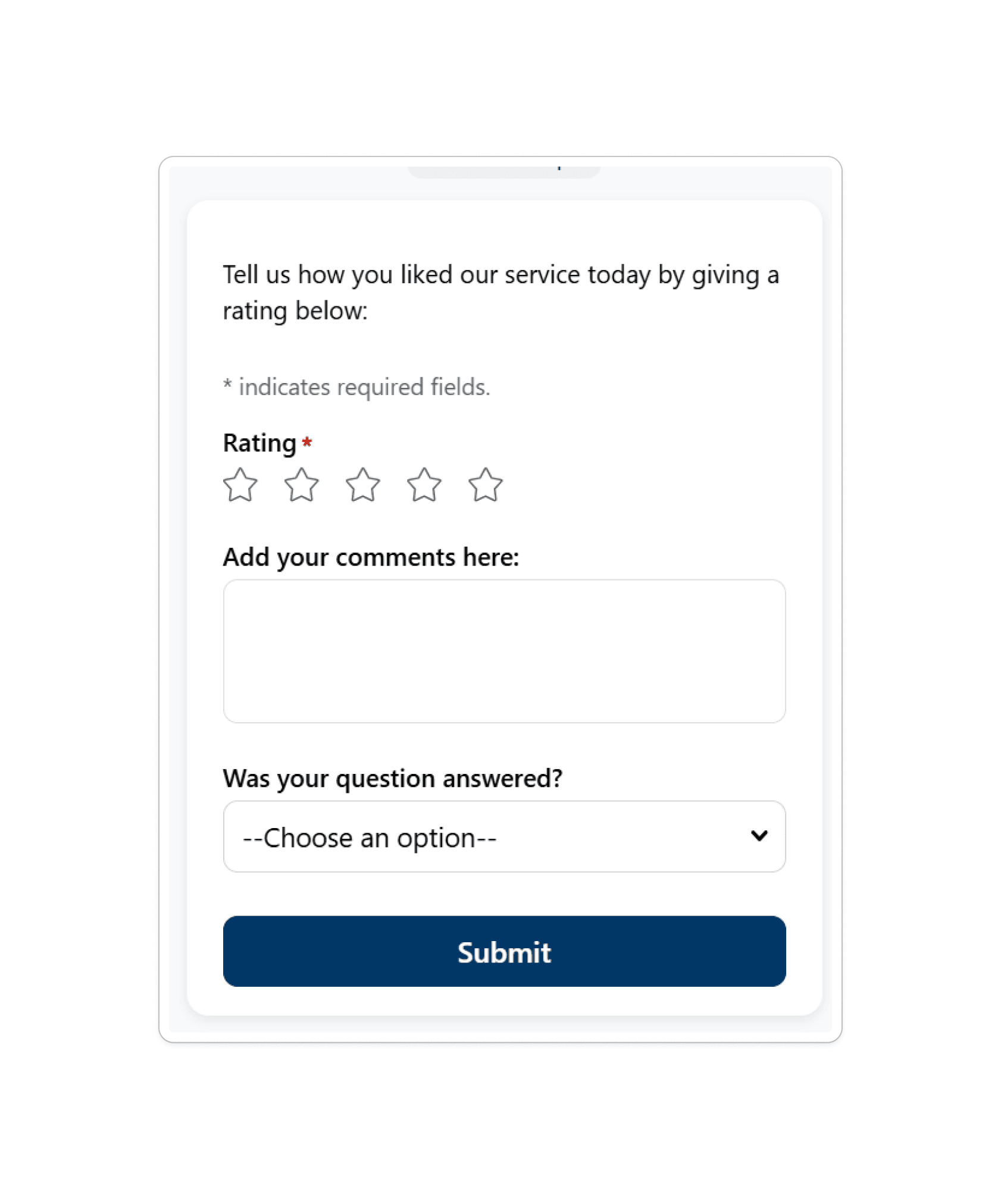
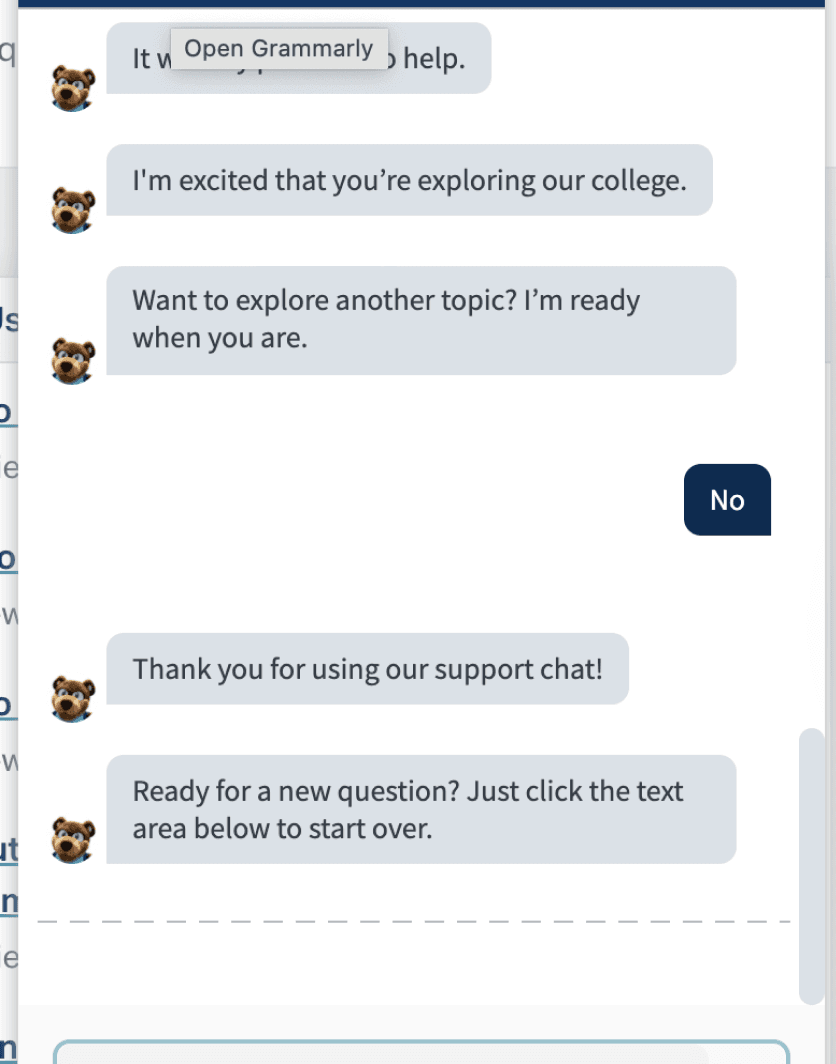
Shortened content by rephrasing the responses and added supporting details from the knowledge articles. The ending message is now tailored for prospective students, enrolled students, and staff.
Before
After
Conversation Matching
Ensured that responses could be triggered by a wide range of student language, including variations in phrasing, tone, and actual quotes pulled from chatbot users, to better reflect real student behaviour.
New Topics
Using Comm100 data analysis, our testing and research methods, we identified 8 topics that needed to be added in the chatbot.
Obtaining
Log In Details
Leave of
Absence
Emergency
Fund
How do I receive my
scholarship
Receiving
Diploma
Failed
Course
Application
Assistance
Student
Advisement
Lessons Learned
Conversational design: Learned how to write clearer, more natural chatbot responses that feel human and easy to follow.
Working with stakeholders: Learned how to adjust goals based on platform limitations, time constraints, and differing stakeholder priorities.
nEXT STeps
I’d measure the impact of the improvements by looking at several chatbot KPIs that are already available in the platform’s analytics such as:
Chatbot resolution rate: How often the chatbot answers questions without needing a live agent
Conversation drop-off rate: Where students leave the conversation
Conversation completion rate: Whether students reach the end of a chat flow
Topic usage: Which topics students use most and least